
Loop Engineering: Stop Prompting, Start Building the Machine
The week three devs lit the fuse
June 2026. Peter Steinberger drops a viral post that does 8 million views basically saying: “Stop prompting coding agents. Start designing loops that prompt them for you.”
At almost the same moment, Boris Cherny at Anthropic tells people he no longer “prompts Claude” - he has loops running that decide what Claude should do.
Then Addy Osmani on the Chrome team writes a blog post, gives the thing a name - Loop Engineering - and syncs it to Substack.
One ignition, one echo, one name. Same idea: your job is no longer to talk to the agent; your job is to build the system that talks to the agent.
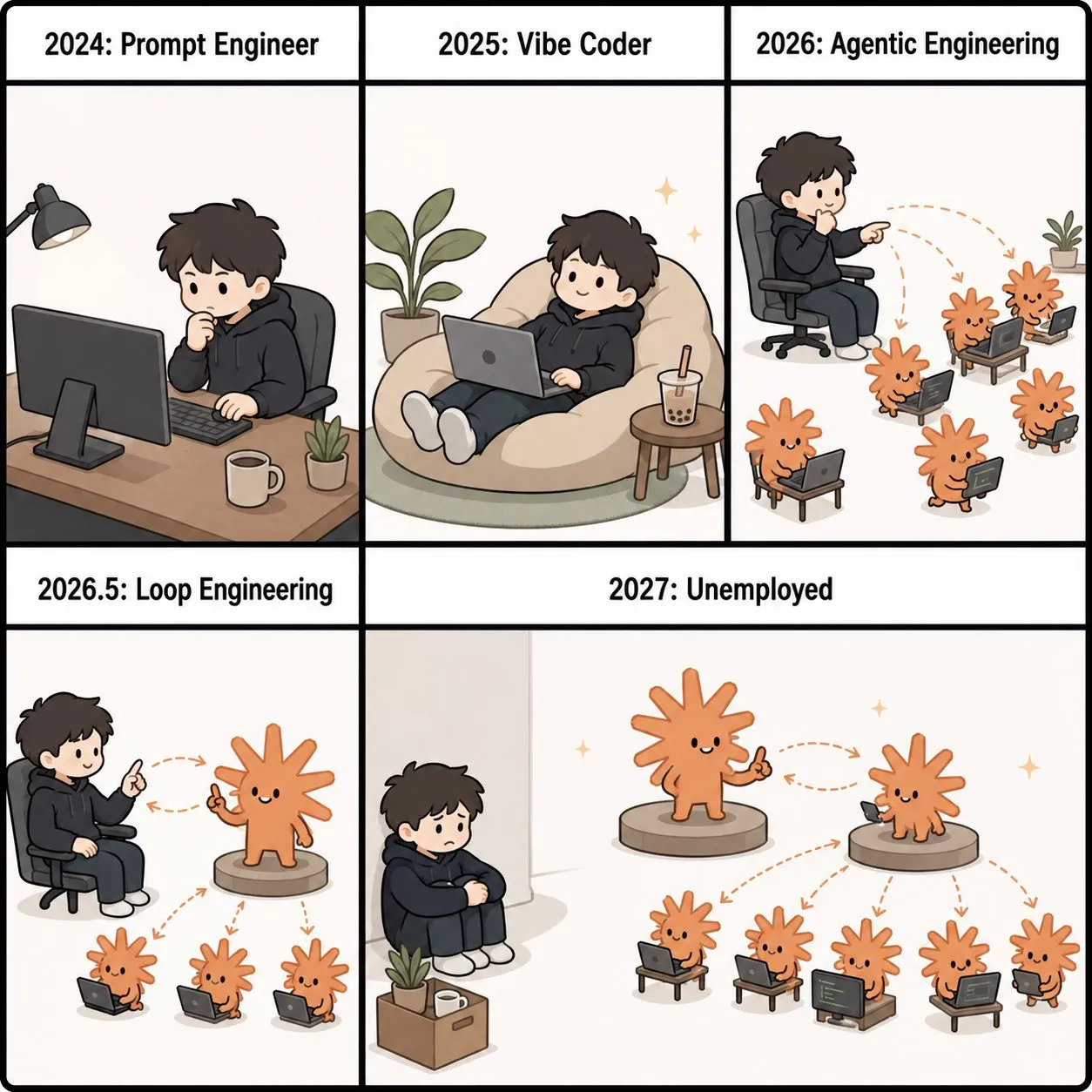
Table of Content
- So what the hell is loop engineering?
- From prompt to loop: one floor up
- The five moves of a loop (and why most people skip the hard ones)
- Generator vs evaluator: your agent should not mark its own homework
- Why this appeared in 2026 and not in your college scripting class
- Implementing loop engineering in Cursor: the pragmatic way
- A concrete loop flow, end-to-end
- The traps you’ll absolutely hit
- Judgment stays scarce, even if code becomes cheap
So what the hell is loop engineering?
Addy’s one-liner is brutal and elegant: replace yourself as the person who prompts the agent, and design the system that does it instead.
You don’t feed the model line by line anymore. You build a machine that:
- Finds work worth doing.
- Feeds the right context to the agent.
- Lets it act.
- Checks what it did.
- Writes things down.
- Wakes up and does it again tomorrow.
The important bit is the change of role. You’re no longer the engine; you’re the person who designs the engine that drives the agent.
From prompt to loop: one floor up
The note that formalized loop engineering describes a four-layer stack:
- Prompt engineering: what words you send in one message.
- Context engineering: what goes in the window right now - retrieval, summarization, clearing stale junk.
- Harness engineering: tools, actions, error recovery, and the definition of “done” for a single run.
- Loop engineering: scheduling that makes the harness run itself over and over.
Prompt assumes you’re sitting at the keyboard. Context assumes you’re still there deciding what to load. Harness arms one clean run and then stops.
Loop engineering deletes the assumption that you’re present. It sticks a timer on the harness, spawns sub-agents, writes state to disk, and feeds yesterday’s output back into today’s input.
Your job moves from “knowing how to direct the agent” to “knowing how to build loops, and how to put a check inside the loop that can say ‘no’.”
The five moves of a loop (and why most people skip the hard ones)
Each loop turn breaks down into five moves:
- Discovery - figure out what this round should do (CI failures, issues, commits, inbox…).
- Handoff - isolate each task (e.g., separate worktrees) so agents don’t stomp on each other.
- Verification - swap in a different agent whose entire personality is “this is probably broken”.
- Persistence - write state to disk, boards, PRs, tickets; not just inside the context window.
- Scheduling - run on a timer or trigger so it turns again tomorrow.
Drop one of these and you don’t have a loop. You have a fancy script that either forgets what it did or nods at its own mess.
The most skipped part? Verification. Everyone loves “automation” until they realize they just built a machine that confidently merges bad code at machine speed.
Generator vs evaluator: your agent should not mark its own homework
Empirically: ask an agent to grade its own output and it will nearly always praise itself.
The context is full of its own reasoning, so when it looks at its code, it doesn’t see the result - it sees the story it told itself to get there.
The paper’s conclusion: Don’t try to make the generator super self-critical. It’s easier to tune a separate evaluator whose default stance is “this is broken until proven otherwise.”
Pattern:
- Agent A (generator) writes code.
- Agent B (evaluator) runs tests, clicks buttons, takes screenshots, pokes at the DOM via tools like MCP or Playwright.
- A small, fast model decides if the stop condition is met; if not, the loop turns again.
This is basically the maker-checker principle from banking: the person who creates the transaction is not the one who approves it.
The loop’s floor is set by the evaluator. The generator sets what the loop can produce; the evaluator sets what it will not produce.
Why this appeared in 2026 and not in your college scripting class
Three things quietly crossed a threshold:
- Coding agents became reliable enough to finish non-trivial tasks unsupervised.
- Scheduling primitives appeared in major harnesses.
- The cost of a single run dropped enough that “run this on a timer forever” stopped looking wasteful.
People were already pairing “writer agent + reviewer agent” long before the term had a name. The naming just caught up with practice.
So loop engineering didn’t come from a new model release. It came from the moment composition became cheap enough that running autonomous systems was finally practical.
For more on agent orchestration, see Palantir’s approach to autonomous workflows.
Implementing loop engineering in Cursor: the pragmatic way
Now, bring this down from Anthropic papers and Stripe pipelines to something you can run in Cursor without turning your life into a DevRel talk.
Forget “full enterprise loop” for a second. Think “tiny loop that saves me from boring morning triage.”
Goal:
- Every morning:
- Scan yesterday’s CI failures, fresh issues, and recent commits.
- Pick actionable items.
- Draft fixes in isolated branches.
- Run tests.
- Open PRs.
- Leave anything suspicious in an inbox for you.
The pieces you’ll use
In Cursor, you basically have three levers:
- The AI agent that can read your repo and write code.
- Tasks / commands / scripts you can trigger from the terminal and reuse.
- External scheduling (GitHub Actions, cron, CI) to wake the thing up when your laptop is closed.
So instead of dreaming about some magical “/loop” command, wire it up like this:
- Discovery lives in a script
Create a script scripts/morning_triage.py (or JS, whatever) that:
- Queries your CI API or parses the latest log files.
- Hits your issue tracker API (GitHub, Linear, Jira).
- Reads recent commits on main.
Then outputs a small JSON list of “findings”:
[
  {"id": "ci-4821", "type": "ci_failure", "summary": "auth test flaky"},
  {"id": "issue-92", "type": "bug", "summary": "null deref in checkout"},
  {"id": "commit-a3", "type": "stale_dep", "summary": "lodash pinned to old version"}
]
This is your loop’s discovery move.
- Persistence is a boring markdown file
Have the script write to state/triage.md:
| finding      | source    | status   |
|-------------|-----------|----------|
| ci-4821     | CI #4821  | pending  |
| issue-92    | Issue 92  | pending  |
| commit-a3   | Commit a3 | pending  |
Cursor can read this file later. The agent forgets; the repo does not.
- Handoff = one working dir per finding
For each row in triage.md, your automation:
- Creates a branch like fix/ci-4821.
- Spins up a fresh worktree or checkout.
- Runs Cursor’s AI agent with a focused prompt.
Prompt example, per finding:
System: You are a pragmatic, slightly grumpy senior engineer.
User: In branch fix/ci-4821, investigate and fix the flaky auth test
described in CI #4821. Use only minimal changes. Update tests as needed.
This is the handoff move: clean task boundaries, no agents stomping over each other.
- Generator vs evaluator inside Cursor
You can approximate the generator/evaluator split with two separate calls: - Generator call: “Draft the fix and related tests.” - Evaluator call: “Assume this is broken. Run tests, check edge cases, and list reasons to reject.”
Example evaluator prompt:
System: You are an adversarial code reviewer. Assume this code is BROKEN until proven otherwise.
User: In branch fix/ci-4821, run the test suite, try obvious edge cases,
and list every reason this patch should be rejected.
Automation logic: - If evaluator finds issues, push branch, label as “needs human”, drop link in your inbox. - If evaluator passes, open PR but do not auto-merge.
That gives you the “thing that can say no” without pretending Cursor is omniscient.
- Scheduling: Cursor is not your cron
Let Cursor be the brain, not the clock.
Use:
- A GitHub Actions workflow scheduled at 06:00 that:
- Checks out the repo.
- Runs scripts/morning_triage.py.
- For each finding, calls your automation that drives Cursor via CLI / API.
- Or a CI job on your self-hosted runner if you like pain.
This is the scheduling move: the loop runs even when you’re not pressing any buttons.
A concrete loop flow, end-to-end
Tie it all together:
- 06:00 - GitHub Actions fires
- Runs
python scripts/morning_triage.py. - Updates
state/triage.mdwith findings.
- Runs
- For each finding
- Creates
fix/<finding>branch. - Starts a Cursor AI task as generator with a focused prompt.
- Commits the generated changes locally.
- Creates
- Evaluator run
- Starts a second Cursor task:
- Runs tests.
- Simulates edge cases (basic input fuzzing, nulls, etc.).
- Returns a verdict: PASS / REJECT + reasons.
- Starts a second Cursor task:
- Persistence
- Writes evaluator verdict back to
state/triage.md(status:pr_open,needs_human,rejected). - Opens PRs for
pr_open. - Adds links for
needs_humantoinbox/triage.md.
- Writes evaluator verdict back to
- Human checkpoint
- You skim
inbox/triage.mdwith coffee. - You review PRs.
- You merge manually.
- You skim
Congratulations: you just moved from “I babysit my agent” to “I review what my agent factory produced while I slept.”
The traps you’ll absolutely hit
The paper catalogues five classic failure modes; they map one-to-one to the five moves.
- The Nodding Loop (no real verification) Same agent writes and approves code. Symptom: the loop has literally never said “no” in hundreds of turns.
- The Amnesiac Loop (no persistence) Results live only in context windows, get flushed, and the loop rediscover the same work every morning.
- The Manual Loop (no scheduling) Impressive script that only runs the day you demo it. Then dies because you forget to click the button.
- The Blind Loop (no real discovery) You still hand it a list of tasks by hand. Automation does the easy part but you keep doing the expensive thinking.
- The Tangled Loop (no isolation) Multiple agents edit the same directory; merge hell ensues as soon as you add parallelism.
Your Cursor loop will try to become all five at once. Your job is to be lazy in the right places and paranoid in the others.
Judgment stays scarce, even if code becomes cheap
The central claim of the note is simple: loops make generation almost free and leave judgment as the scarce resource.
One engineer with a good loop can produce the output of a small team. But the loop happily amplifies whatever you bring to it:
- Bring solid understanding and discipline - it multiplies your judgment.
- Bring laziness and zero review - it multiplifies your sloppiness.
In the “old world”, one bad decision gave you one bad patch. In the loop world, one bad decision gets executed a hundred times by a machine that never pauses to ask “are you sure?”.
So when you wire loop engineering into Cursor, the real question isn’t “how do I automate more?” It’s “where do I keep one human door open so I still stay the engineer, not just the person who presses go?”
For deeper insights on AI agent patterns, check Addy Osmani’s work on agentic workflows.