Caveman: why use many token when few token do trick
The problem: LLMs talk too much
LLMs are like that colleague who answers “simple yes/no” questions with a TED talk. You pay per token. They answer per novel.
Claude Code, Cursor and friends are amazing, but every “Of course, I’d be happy to assist you with that!” shows up on your invoice. You want the fix, not a philosophical preface about recursion.
So the real optimization is not “smarter model”. It is “shut up, but stay correct”.
Table of Content
Meet Caveman
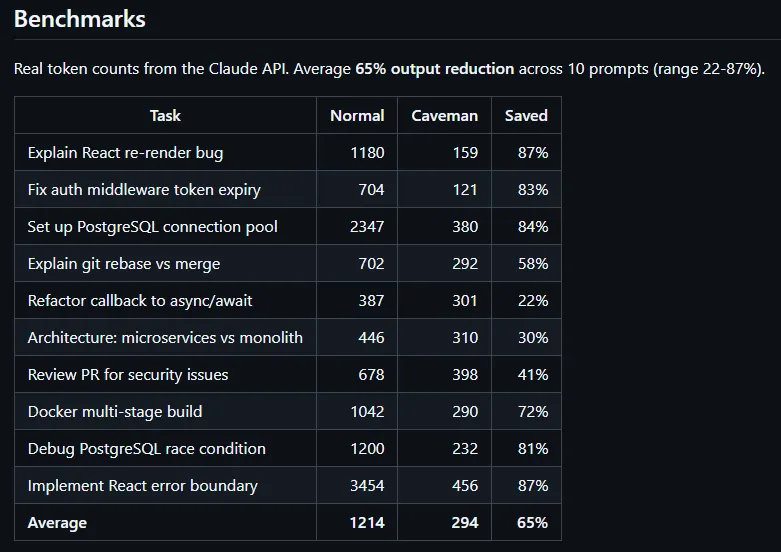
Caveman is a Claude Code skill / plugin (and Codex plugin) that forces your AI dev assistant to talk like a smart caveman. Less fluff, same brains. The goal: cut around 65-75% of output tokens while keeping full technical accuracy.
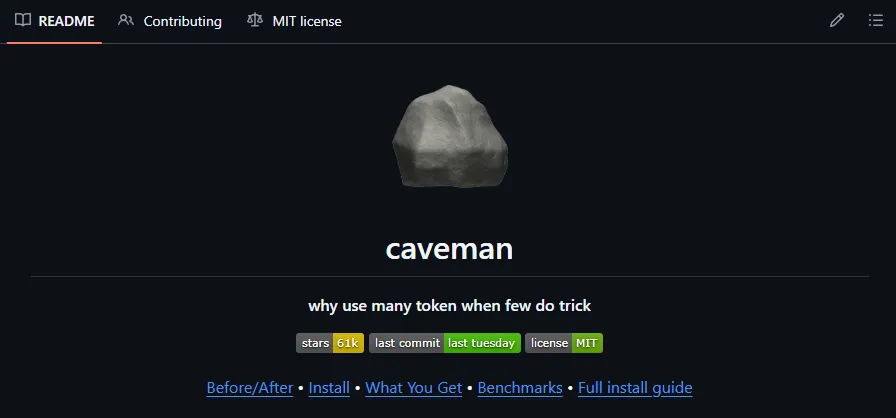
It does exactly one job: compress the assistant’s language. Code, stack traces and technical content stay normal; only the English gets the stone-age treatment.
On top of that, there is a companion tool that compresses your memory files, shaving roughly 45% of input tokens per session. So you pay less for what you send in and less for what comes out.
The project lives here: https://github.com/JuliusBrussee/caveman It blew up fast: thousands of stars and top spots on GitHub trending and Hacker News.
How it actually saves tokens
LLMs are very good at reconstructing grammar and filler around the important bits. Caveman leans into that: strip what the model can easily rebuild, keep what actually matters.
What gets minimized in the assistant’s replies: articles, polite intros, “as an AI language model…”, and other verbal packing peanuts. What stays untouched: code blocks, error messages, technical terms, numbers, constraints.
Under the hood this is semantic compression, not random truncation. The content is constrained into shorter “lithic” sentences while preserving meaning.
Result: fewer tokens, shorter latency, same usefulness. The official page claims up to 87% reduction in output latency while keeping technical accuracy.
Modes, levels, and failsafes
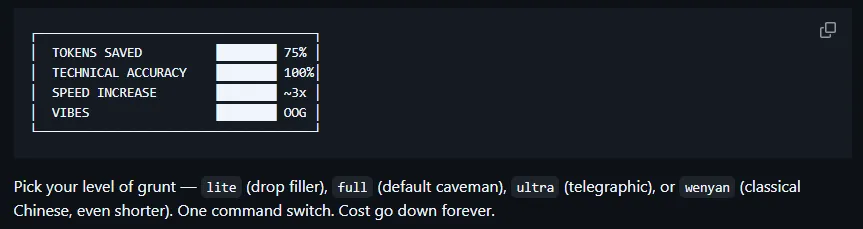
Caveman is not just “on/off grunt mode”. It ships with several intensity levels, from “professional lite” to “ultra-compressed” and even a classical Wenyan prose style for the masochists.
It can auto-trigger when you ask for brevity, efficiency, or “short answer plz”, then fall back to normal mode when that would be dangerous. For example, it reverts to standard language for security warnings or complex multi-step instructions where nuance matters.
Only the natural language is crushed; code stays readable and idiomatic. Your PRs don’t suddenly look like they were written by a Neanderthal on a Nokia 3310.
Why every token counts
If you hammer an AI dev assistant all day, the assistant’s verbosity is not just annoying. It is literally line items on your cloud bill.
Cutting roughly three quarters of the assistant’s output tokens means:
- Less money burned on “Sure, here’s what I’m going to do next…”
- Less latency waiting for another paragraph of justification you didn’t ask for
- More context budget left for actual code, logs, and specs instead of fluff
Pair that with memory compression on the input side and you claw back around 45% of context tokens your tooling would otherwise waste replaying verbose history. In long coding sessions, that’s the difference between “context overflow, sorry” and “still fits, keep going”.
You already optimize queries, indexes, and bundle sizes. Optimizing AI chatter gives you similar gains for way less effort.
When Caveman is a bad idea
Not everything should be compressed to caveman mode. Legal wording, prod incident comms, and sensitive user-facing text often need full nuance.
The nice part: Caveman knows when to chill. It can detect cases like security warnings or complex step-by-step plans and switch back to normal communication so nothing critical is lost between the grunts.
You can also just turn it off and go back to full-fat English whenever you want. It is a skill/plugin, not a permanent brain replacement.
How to install it faster than a npm audit
Installation is simple enough to do between two builds. You clone the repo or let the skills tooling fetch it directly from JuliusBrussee/caveman.
For Claude Code, you can install it as a skill into your ~/.claude/skills directory using a one-liner that clones the GitHub repo and copies the Caveman skill folder there.
There is also a marketplace-style plugin install command (claude plugin install caveman@caveman) mentioned in the official Caveman docs.
Once installed, you trigger the mode with a simple /caveman command in your editor or assistant.
Type “normal mode” and the AI goes back to speaking like a 2026 SaaS landing page.
From there, your AI dev buddy still writes proper code and explanations. It just stops writing the novelization of your stack trace.